1. Export a CSV marker file from Pix
Open the comments panel on the right side in Pix. Press the three dots and select "Export". Now you can then download the CSV file from Pix.
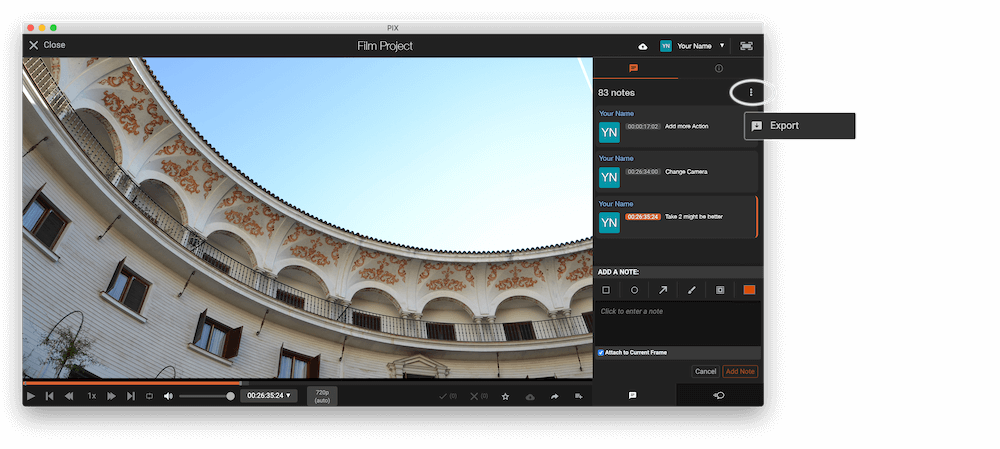
The timecode in Pix starts with 00:00:00:00 for each clip, so you may need to use the offset function on EditingTools.io to sync it with you timeline or move it manually in your NLE (editing software).
2. Use the "Markør-konverter" to convert the CSV marker file into a XLSX file
Open the free Markør-konverter, select "Pix Systems > Comments (.csv)" and set "convert" to "XLSX". Generate and download the file. Hvis du har problemer med at konvertere filen, kan du kontakte den gratis support.
🚀 Færdig
Det var alt for nu! Hvis du fandt denne vejledning nyttig, så del den for at støtte os. Hvis du har forslag til, hvordan vi kan forbedre workflowet, så giv os besked!