DriveCompare
The perfect tool for drive comparison, syncing and verifing files in post-production workflows by using ASC Media Hash List manifests.
The perfect tool for drive comparison, syncing and verifing files in post-production workflows by using ASC Media Hash List manifests.
The demo version supports comparing drives or directories with up to 500 files, and creating or checking ASC MHL manifests with up to 50 files.
Requires macOS 14 or later
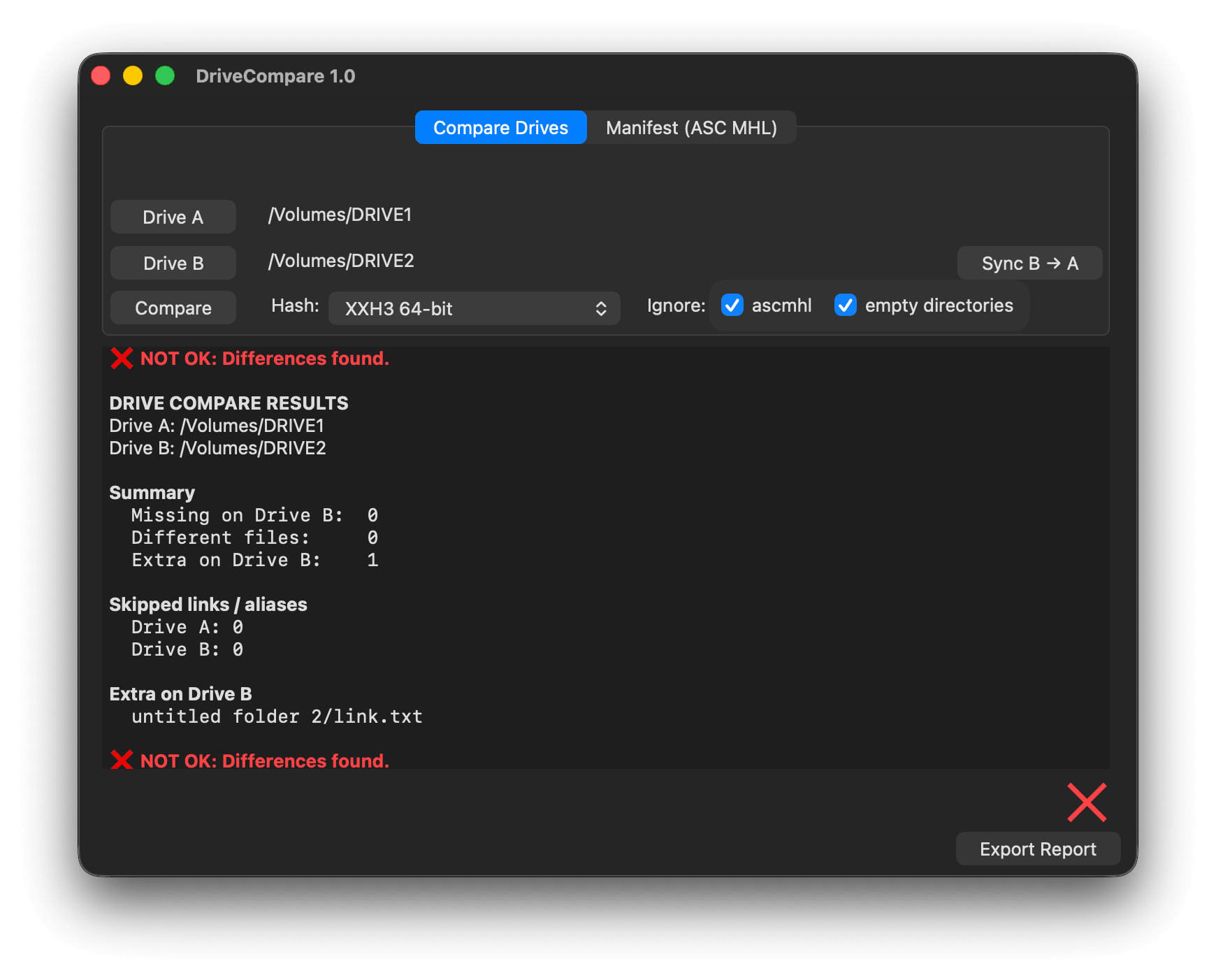
Select which 2 drives or directories you want to compare and choose the hash type. If None is selected it will only compare names and file sizes, but not check that the files are exactly the same. You can ignore ASC MHL directories and empty directories.
After comparing, you will get the result which can be exported as an RTF Report. In case there are missing files you will get a "Sync" button to copy the files from A to B and B to A. The copy will use hash verification.
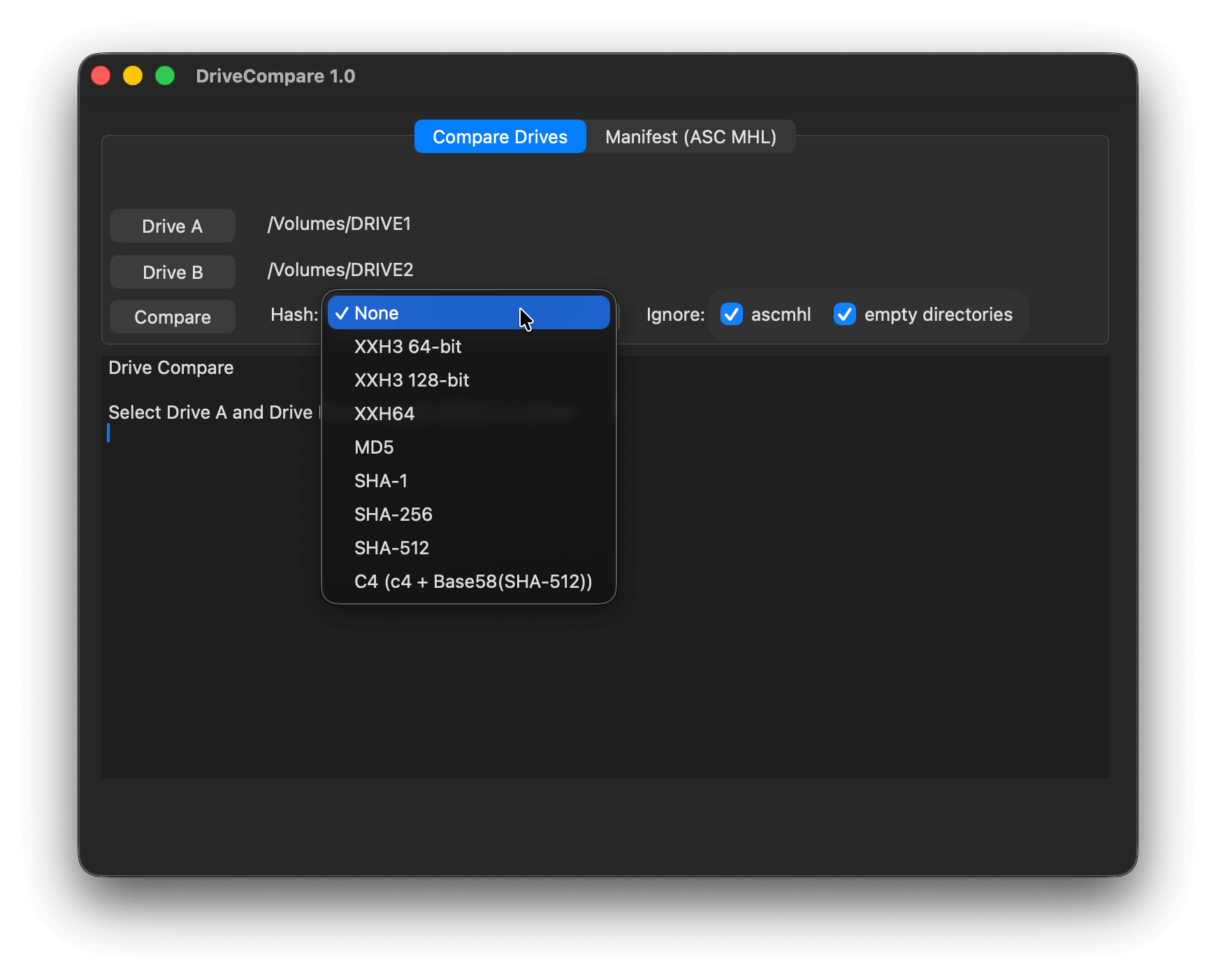
View a detailed breakdown of differences between the two drives or directories. Results clearly indicate missing, added, or modified files. Export the full report as an RTF file for documentation or handoff.
ASC Media Hash List is an industry-standard specification for structuring file comparison developed by the American Society of Cinematographers. It standardizes how file metadata such as paths, hashes, sizes, and timestamps is recorded, enabling consistent and reliable comparisons across systems.
Create – Generates an ASC MHL manifest for the selected folder and all subfolders. Existing manifests in subfolders are automatically detected and referenced.
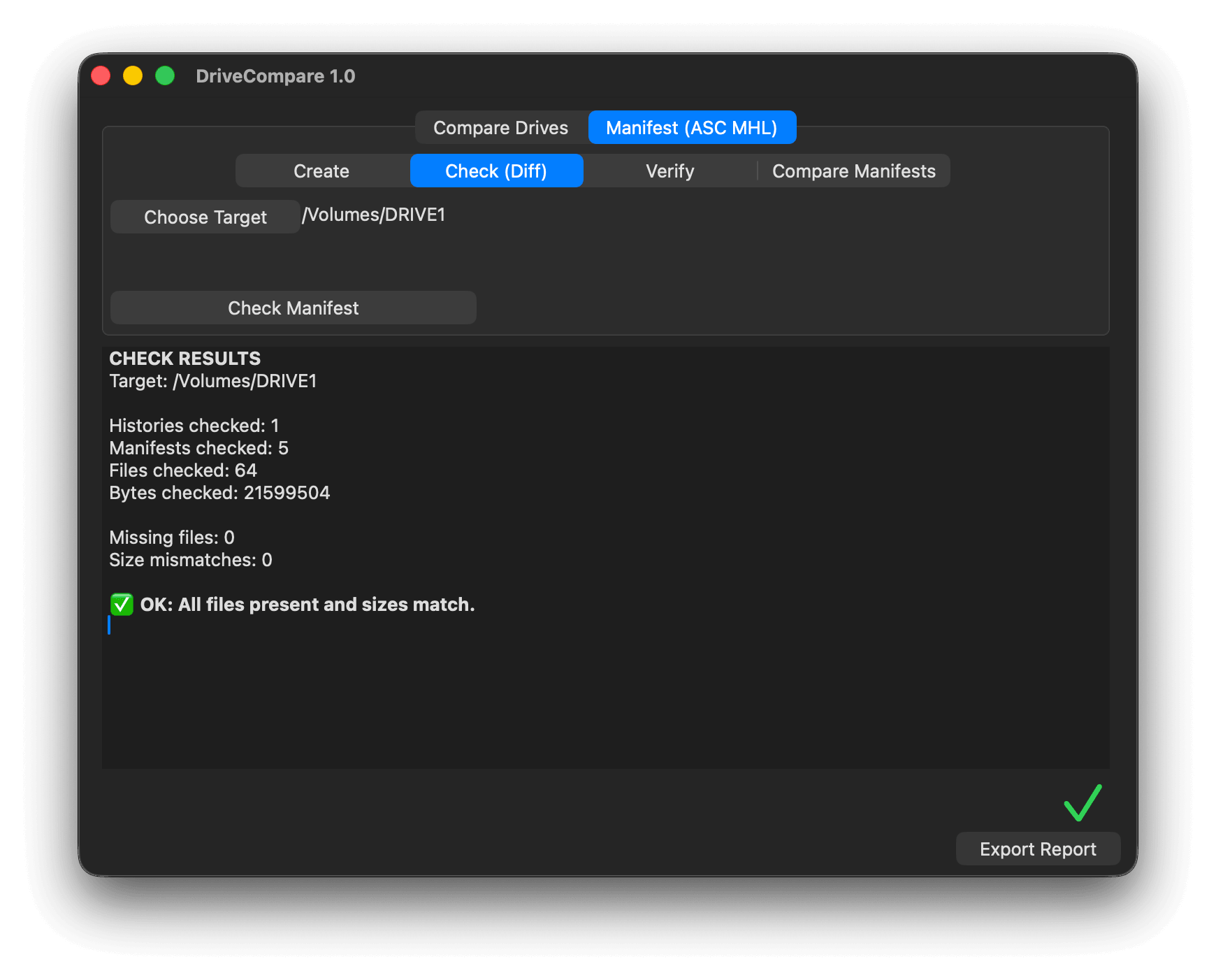
Check (Diff) – Compares the selected folder contents against an ASC MHL manifest using file names and sizes to quickly identify differences.
Verify – Validates files against an ASC MHL manifest by recalculating hashes, ensuring data integrity, and updating the ASC MHL chain.
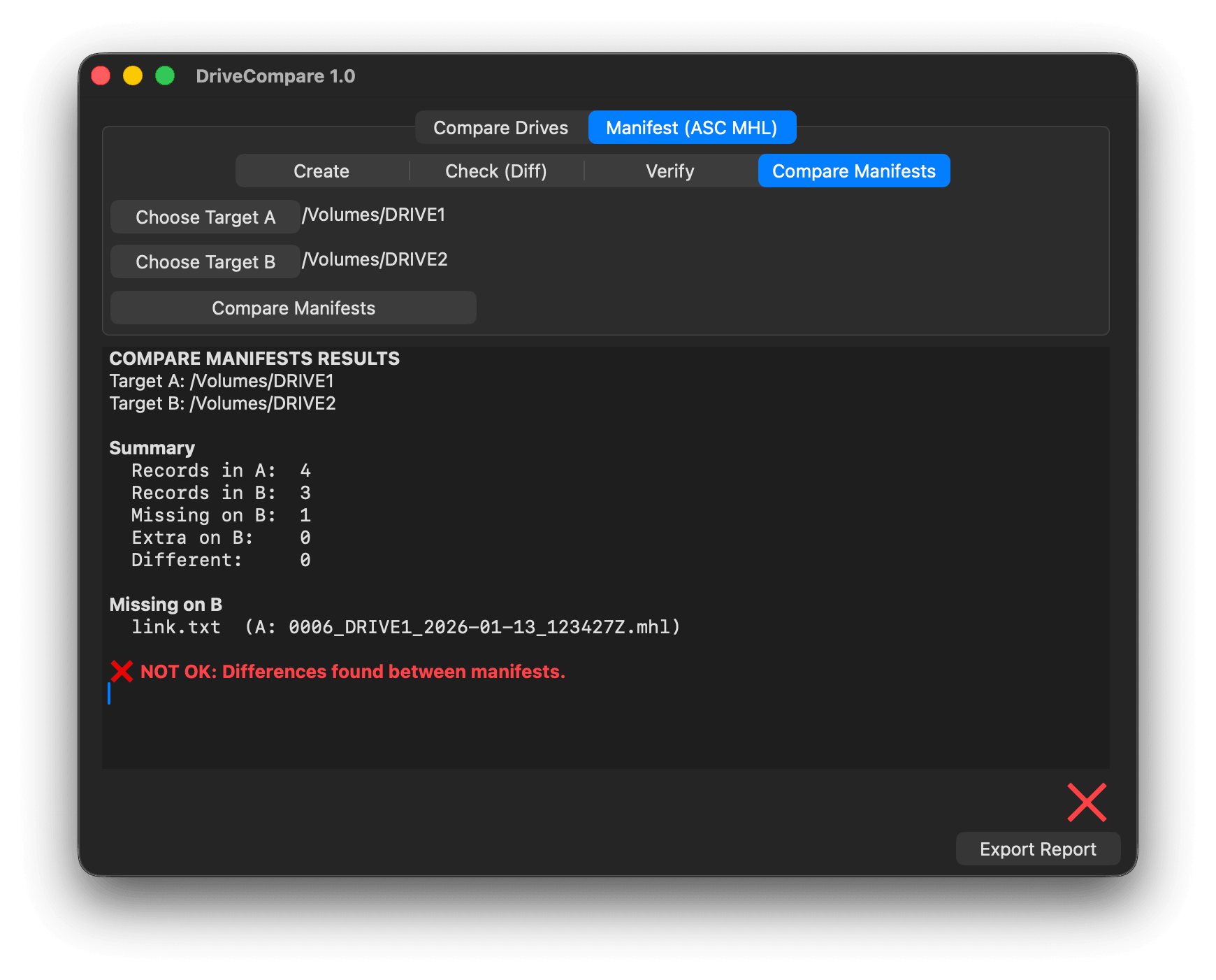
Compare two ASC MHL manifests to identify differences in file structure, metadata, or content. This method is not part of the ASC MHL standard and relies on the accuracy of the manifests themselves — useful for cross-referencing archives or backup sets.
The tool supports a variety of hash types. So, which one should be chosen? It depends on the project. For example, Netflix recommends using the xxHash64be, xxHash128, or MD5 hash types. The tool offers the following hash types: xxHash3, xxHash128, xxHash64be, MD5, SHA-1, SHA-256, SHA-512, C4
We offer three types of licenses. The single-user license is ideal for freelancers who want to use the software on one or two computers. This license is tied to a single account. For companies, we offer a team license, which is bound to the company. The number of licenses can be chosen upon purchase, with a minimum of three licenses. We also offer an enterprise option. Please contact our sales team for more information. All licenses are perpetual.
Bemærk: Selve pluginet er i øjeblikket kun tilgængeligt på engelsk.
You will be redirected to the secure "Paddle" checkout. Paddle.com is the Merchant of Record.
Omvendt opladning: If you are buying for a company and have a VAT ID, you may be able to use the reverse charge procedure in some countries. On the checkout page, click "Add VAT ID" on the left after selecting your country and postcode.
Hvis du har spørgsmål eller ønsker til funktioner, kan du kontakte vores supportteam. Vi er glade for at kunne hjælpe dig!
Når du har downloadet, skal du pakke zip-filen ud og starte .pkg-filen. Følg derefter installationsguiden.
From the app menu, select File > License. Enter your license key in the "Serial number" field.
To remove a license from a device, choose File > License from the app menu. Click on "Remove License".
DriveCompare supports multiple hash algorithms including MD5, SHA1, SHA256, and xxHash. You can also choose None to compare by file names and sizes only for a faster, non-cryptographic check.
ASC Media Hash List is an industry-standard specification for structuring file comparison developed by the American Society of Cinematographers for recording file metadata such as paths, hashes, sizes, and timestamps. DriveCompare can create, check, verify, and compare ASC MHL manifests.
Ja, hvis der er opdateringer tilgængelige, kan du downloade dem gratis.
Nej, denne applikation fungerer offline og deler ikke nogen af dine projektdata online.
Denne app understøttes kun på macOS.
Du kan bare slette .app-filen fra din computer.
Hvis du har brug for en funktion til appen, en ny mulighed eller en tilpasset version, så send os en besked. Vi leverer skræddersyede løsninger til din virksomhed.
Nikolai Waldman leads development for this app, which is published and distributed via EditingTools.io.